

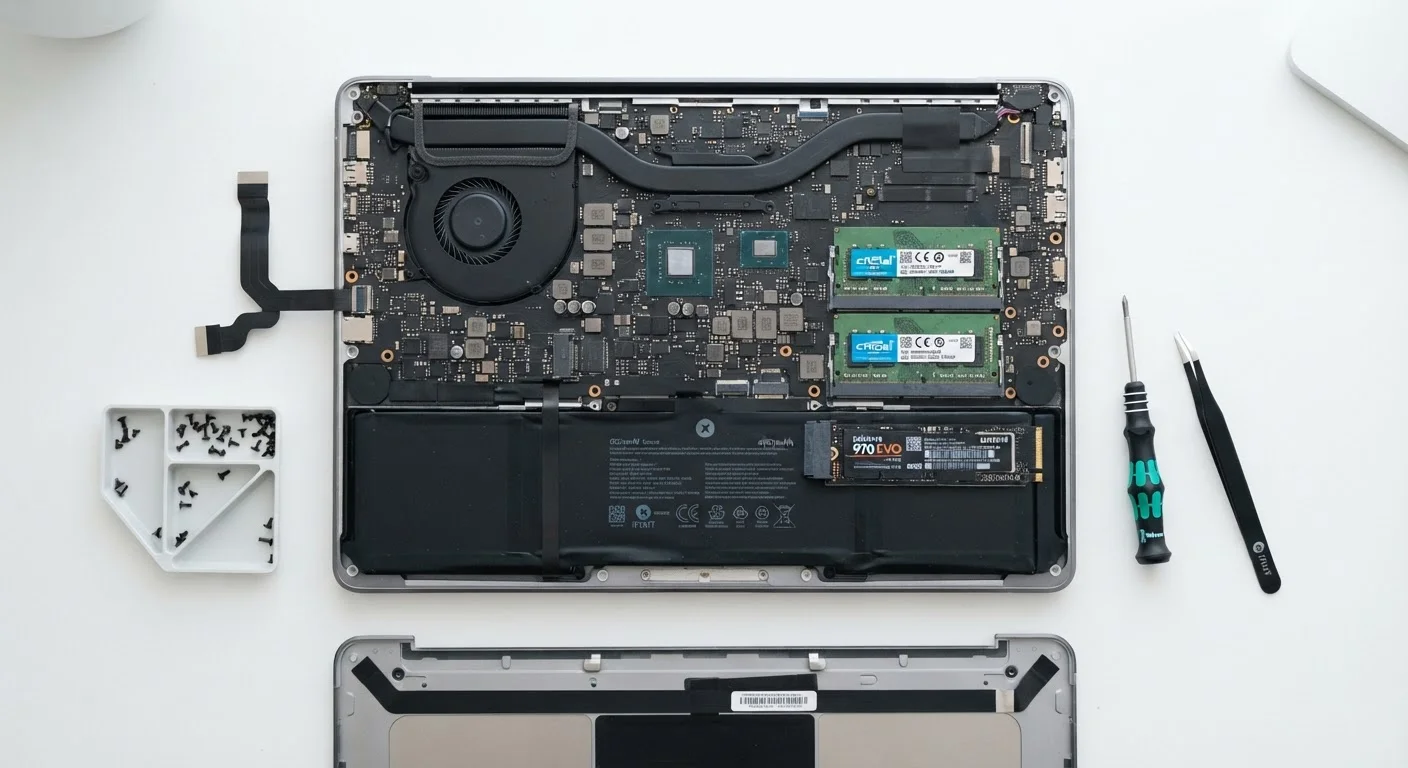
Storage: The Filing Cabinet
Storage is the simplest of the three to understand: it's where your device keeps things when they're not in active use. Photos, apps, documents, music, videos — all of it lives in storage. When you turn a device off and turn it back on, your files are still there because storage is non-volatile, meaning it retains data without power.
The two numbers you'll see most often are capacity (measured in gigabytes or terabytes) and type. Solid State Drives (SSDs) and the flash storage found in smartphones are meaningfully faster than older spinning hard disk drives (HDDs), which is why devices equipped with them tend to feel snappier when loading apps or booting up. Storage type affects speed of access; storage capacity affects how much you can keep.
One practical note: operating systems and apps themselves consume storage, sometimes several gigabytes, before you add a single personal file. Advertised capacity and usable capacity are rarely the same number.
~20–30 GB
Typical OS storage footprint on a new device
Modern operating systems like Windows 11 or recent versions of macOS can consume 20–30 GB of storage before any user files or third-party apps are installed.
10–20×
Speed difference: SSD vs. traditional HDD
Consumer SSDs typically deliver sequential read speeds 10 to 20 times faster than conventional spinning hard drives, according to widely published hardware benchmarks.
8 GB
Common RAM baseline for general-purpose laptops
8 GB of RAM is a frequently cited baseline for everyday laptop use; many manufacturers now ship mid-range devices with 16 GB as productivity demands increase.
RAM: The Workspace
If storage is the filing cabinet, RAM is the desk. It's where your device holds information it needs right now — the webpage you're reading, the app you have open, the document you're editing. RAM is volatile, meaning its contents disappear when power is cut. That's why unsaved work is lost in a crash.
The practical effect of RAM is felt in multitasking. When you switch between a browser with a dozen tabs, a music app, and a messaging app, your device is juggling all of those in RAM simultaneously. When RAM runs short, the system starts offloading data to storage temporarily — a process that is noticeably slower and can cause apps to reload from scratch when you return to them.
More RAM doesn't make individual tasks run faster in isolation; it allows more tasks to run concurrently without degradation. This is why a device with ample RAM feels fluid under load, while one with less can feel sluggish even if the processor is capable.
Identify Your Bottleneck Before Upgrading
If your device feels slow, pinpointing which component is the constraint saves time and money. Frequent app reloads suggest RAM pressure; slow file transfers or long boot times often point to storage type; sluggish performance on complex tasks usually points to the processor. Many operating systems include built-in activity monitors or task managers that show real-time RAM and CPU usage.
Processing Power: The Engine
The processor — called a CPU (Central Processing Unit) on laptops and desktops, or often integrated into an SoC (System-on-a-Chip) on phones and tablets — is the component that actually executes instructions. Every calculation, every action, every visual rendered on screen passes through the processor in some form.
Processing power is measured and described in several ways: clock speed (in gigahertz), core count, and architecture generation, among others. These numbers don't translate simply into real-world performance without context, because software efficiency, thermal management, and how cores are used all factor in. A newer chip architecture can outperform an older one with a higher clock speed.
For everyday tasks — web browsing, email, streaming video — even modest modern processors are more than sufficient. Processing power becomes a meaningful differentiator for demanding workloads: video editing, 3D rendering, complex gaming, or running AI-assisted software. Understanding the real-world demands you'll place on a device is more useful than comparing raw spec numbers in isolation.
For a broader view of how hardware specs connect to other device characteristics, see our breakdown of display specs and our guide to understanding ports and connectivity standards.
Chip Architecture Changes the Equation
Raw clock speed (GHz) is not a reliable cross-brand or cross-generation comparator. A processor from a newer chip generation can outperform one with a higher GHz rating because architectural improvements allow it to accomplish more work per clock cycle. When evaluating processors, generation and architecture matter as much as headline numbers.
How the Three Work Together
These components don't operate in isolation — they function as a system. A fast processor paired with insufficient RAM will stall waiting for data. Ample RAM on a slow processor won't accelerate complex computations. Slow storage will create a drag on any device when it needs to read large files, regardless of how capable the chip is.
Think of it this way: the processor is the chef, RAM is the counter space, and storage is the pantry. A talented chef with a cramped counter and a disorganized pantry still works slowly. Performance is always a product of all three components together.
When evaluating any device — phone, laptop, tablet, or otherwise — it helps to identify your actual usage pattern first. Light users doing basic tasks are rarely limited by any of these specs in a modern device. Heavy users running demanding software benefit from careful attention to all three. For further guidance on reading device specs in context, see our article on reading between the lines of product descriptions. You may also find it useful to explore habits that extend device life, since how you use and maintain a device affects long-term performance as much as the specs themselves.
Frequently Asked Questions
Not directly. Storage capacity determines how many files, apps, and media you can keep on a device. However, nearly full storage can cause slowdowns on some systems because the OS needs free space to write temporary files. The type of storage — SSD versus HDD — does affect speed.
It depends on your usage. Light tasks like browsing and email need less RAM than video editing or running multiple apps simultaneously. Most general-purpose smartphones and laptops today include enough RAM for typical everyday use, but power users benefit from more.
A CPU (Central Processing Unit) is the primary processor that executes instructions for everything your device does. A faster, more capable CPU handles demanding tasks — like video rendering, gaming, or multitasking — more smoothly and efficiently.
It depends on the device. Many desktop computers allow RAM and storage upgrades. Most modern laptops and nearly all smartphones have these components soldered in or sealed, making upgrades impossible or impractical.
SSD (Solid State Drive) storage uses flash memory with no moving parts, making it significantly faster and more durable than a traditional HDD (Hard Disk Drive), which uses spinning magnetic platters. Most modern laptops and phones use SSD or flash-based storage.
No. The relative importance varies by use case. A device used mainly for streaming may need less RAM and processing power than one used for content creation. Identifying your primary use case is the most practical guide to which spec matters most for you.
The content on this site is for informational purposes only and is not a substitute for professional advice. Always consult a qualified professional for guidance specific to your situation.