

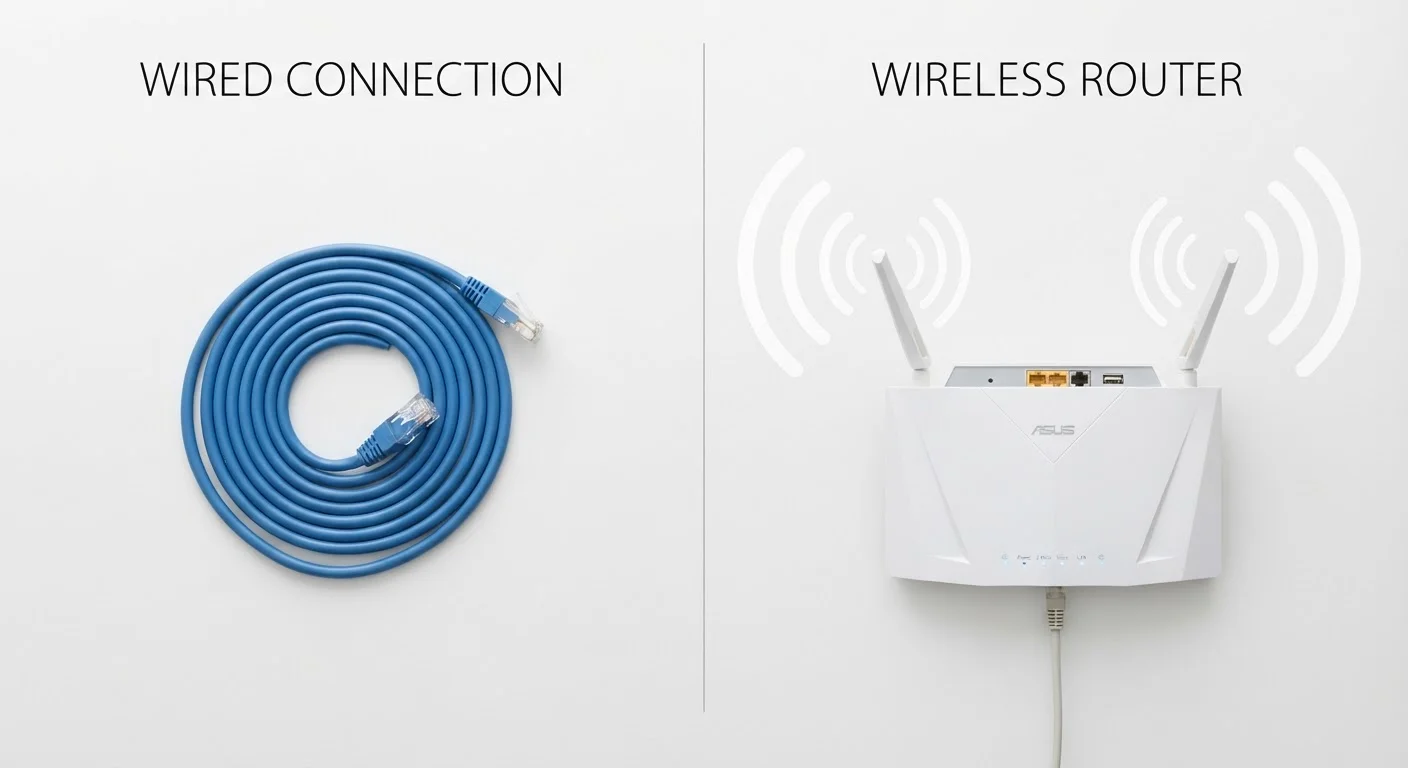
Our Verdict
Neither wired nor wireless is universally superior — each excels in specific contexts. Wired connections remain the more reliable choice for stationary, performance-critical devices, while wireless technology has matured enough to serve most everyday tasks well. Understanding the underlying trade-offs lets you match the connection type to the task rather than defaulting to one approach for everything.
| Best for | Recommended |
|---|---|
| Gaming, video editing, or high-volume data transfers | Wired |
| Mobile devices, smart home sensors, and casual streaming | Wireless |
| Home offices with desktops or stationary workstations | Wired |
| Households with mixed devices across multiple rooms | Hybrid (Wired + Wireless) |
What Actually Separates Wired from Wireless
At their core, wired and wireless connections differ in how they carry data: wired connections move electrical signals through a physical medium — typically copper (as in Ethernet) or fiber optic glass — while wireless connections encode data onto radio waves that travel through air. That fundamental difference cascades into real-world distinctions in speed, reliability, and convenience.
Wired connections use a dedicated physical path between two points. Because that path doesn't compete with other signals, throughput is consistent and predictable. Wireless connections share a radio frequency band with every other nearby device using that same frequency, which is why performance can vary throughout the day or in densely occupied buildings.
For a deeper look at how one common wireless technology handles this challenge, see how Bluetooth actually works. And if you're curious how wireless generations like Wi-Fi 6 change the equation, what wireless generational standards actually mean breaks that down in plain language.
Speed, Latency, and Reliability Compared
Speed and latency are often conflated but mean different things. Speed (bandwidth) refers to how much data can move per second; latency is how long it takes a single packet to travel from source to destination. Both matter, but for different tasks.
| Wired (Ethernet) | Wireless (Wi-Fi) | |
|---|---|---|
| Typical home speed | Up to 1 Gbps (gigabit) | Varies; often 100–600 Mbps in practice |
| Typical latency | Under 1 ms | 5–30 ms depending on conditions |
| Interference susceptibility | None (shielded cable) | Moderate to high (shared spectrum) |
| Setup complexity | Higher; requires cable routing | Low; connects via network password |
| Device mobility | None — tethered to port | Full — move anywhere in range |
| Reliability over time | Very high; consistent performance | Variable; depends on environment |
Wired Ethernet on modern home hardware routinely delivers 1 Gbps (gigabit per second) with latencies under 1 millisecond. Current Wi-Fi standards (Wi-Fi 6 and Wi-Fi 6E) can reach comparable peak speeds under ideal conditions, but real-world performance is typically lower due to distance, obstacles, and congestion. Latency over Wi-Fi commonly runs between 5 and 30 milliseconds — rarely perceptible for browsing or video calls, but meaningful for competitive gaming or real-time audio production.
Reliability is where the gap widens most practically. A physical cable either works or it doesn't; intermittent issues are usually traceable to a faulty connector or damaged cable. Wireless connections can degrade gradually and unpredictably as interference levels shift — neighboring networks, microwave ovens, and even baby monitors operate on overlapping frequencies. Mesh Wi-Fi systems can reduce dead zones but don't eliminate the interference challenge.
Convenience, Setup, and Cable Management
Wireless wins decisively on setup simplicity and physical flexibility. Connecting a laptop, phone, or smart TV to Wi-Fi takes seconds and requires no additional hardware beyond a router. There are no cables to route through walls, no ports to match, and no constraint on where a device can sit.
Wired setups require planning. Running Ethernet through a finished home means drilling, routing cable through walls or under floors, and possibly purchasing a network switch if you need more than a few ports. For renters or those in older homes without structured wiring, this can be a genuine barrier.
Quick Rule for Stationary Devices
If a device sits in one place and has an Ethernet port, strongly consider using it. The one-time effort of running a cable often eliminates years of troubleshooting Wi-Fi dropouts. Powerline adapters — which send network signals over your home's existing electrical wiring — can be a practical middle ground if drilling isn't an option.
That said, cable management concerns shouldn't lead to wireless-by-default decisions for stationary devices. A desktop computer, a gaming console, or a network-attached storage drive rarely moves — for these, a one-time wiring effort pays dividends in years of stable performance. For a related look at trade-offs between convenience and capability in audio specifically, see wired vs. wireless earbuds.
When Each Connection Type Makes More Sense
Context determines the better choice more than any single specification.
- Choose wired when: the device is stationary, the task is latency-sensitive (gaming, video conferencing, large file transfers), or a consistent connection is non-negotiable (a security camera's local recorder, a smart home hub).
- Choose wireless when: the device moves (smartphones, tablets, laptops), physical cable routing is impractical, or the use case tolerates occasional variability (streaming video, casual browsing, smart speakers).
- Consider a hybrid approach when: your household has a mix of stationary and portable devices. Running Ethernet to a router or mesh node and letting portable devices connect wirelessly gives you the stability of wired where it matters and the flexibility of wireless where you need it.
Power delivery is also worth considering. Some wired standards — Power over Ethernet (PoE), for example — can supply electrical power through the same cable that carries data, eliminating a separate power adapter for devices like IP cameras or access points. Wireless devices, by contrast, depend entirely on batteries or separate power sources. For more on how power reaches and moves through devices, AC vs. DC power explained provides useful background.
~30 ms
Typical Wi-Fi latency in congested environments
Network engineers commonly observe Wi-Fi latency in the 5–30 ms range under household conditions, versus under 1 ms for wired Ethernet.
2.4 GHz & 5 GHz
Most common Wi-Fi frequency bands
The 2.4 GHz band reaches farther but is shared by many devices; 5 GHz is faster but has shorter range — a fundamental wireless trade-off for most routers.
The content on this site is for informational purposes only and is not a substitute for professional advice. Always consult a qualified professional for guidance specific to your situation.